
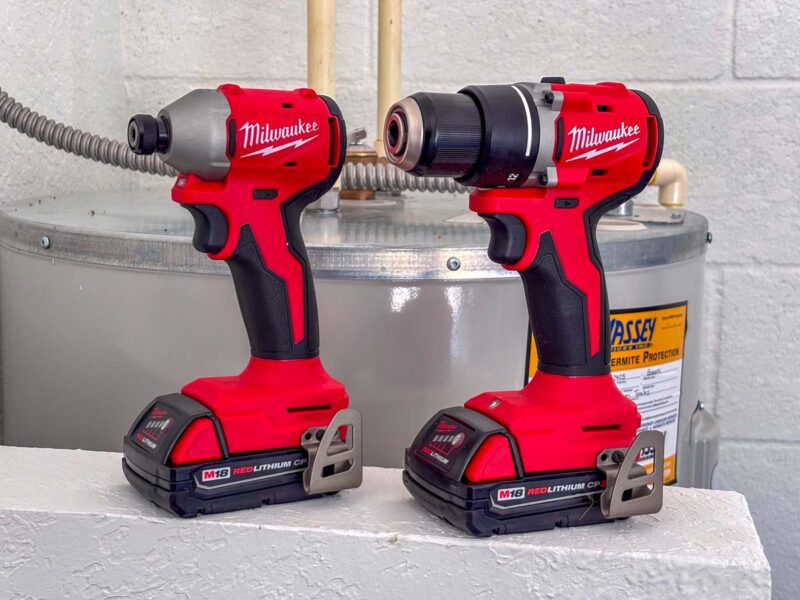
It used to be so easy—drills took care of holes and that was that. Now impact drivers give me one more option for making holes or fastening. More than a few folks have asked me over the years about the difference between an impact driver vs a drill.
In reality, how and when you use each matters. The big deal is that these tools feature different mechanisms to drill and drive fasteners and bits. They also favor different applications. Using each tool properly yields the greatest amount of efficiency. That’s why you typically see Pros carrying both types of tools.
I’ll give you the basic answers as well as some in-depth perspective on what you need to know as a more advanced tool user. I’ll cover how manufacturers make these tools as well as how they differ from each other. That should help you decide for yourself when to use each.
Have any questions? Leave us a comment below!
Looking for Something Specific? Jump to These Sections!
- How Impact Drivers and Drill Work
- Comparing the Chucks
- Controls and Performance
- Size and Weight
- What’s the Deal with Hammer Drills?
- When to Use an Impact Driver, Drill, or Hammer Drill
- Which Should You Buy?
Impact Driver vs Drill Mechanisms
At the business end, impact drivers and drills have the same job: keep the bit spinning. However, the way they work is significantly different, and it has consequences for the way you work.
Let’s start by considering what’s going on under the hood and the effect it has on performance.
How Impact Drivers Work
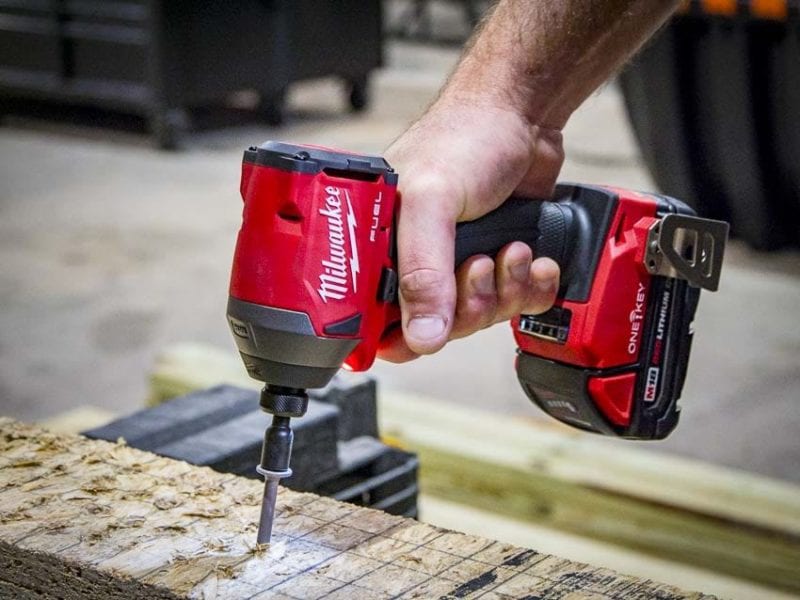
Imagine working on a stuck bolt. It’s too difficult to loosen with a wrench. You lean on it and pull on it—but you still can’t budge it. To knock it loose, you finally decide to take a hammer and hit the handle of the wrench. That delivers extra, but short-lived, torque.
That’s kind of what an impact driver does.
But it can strike several thousand times per minute!
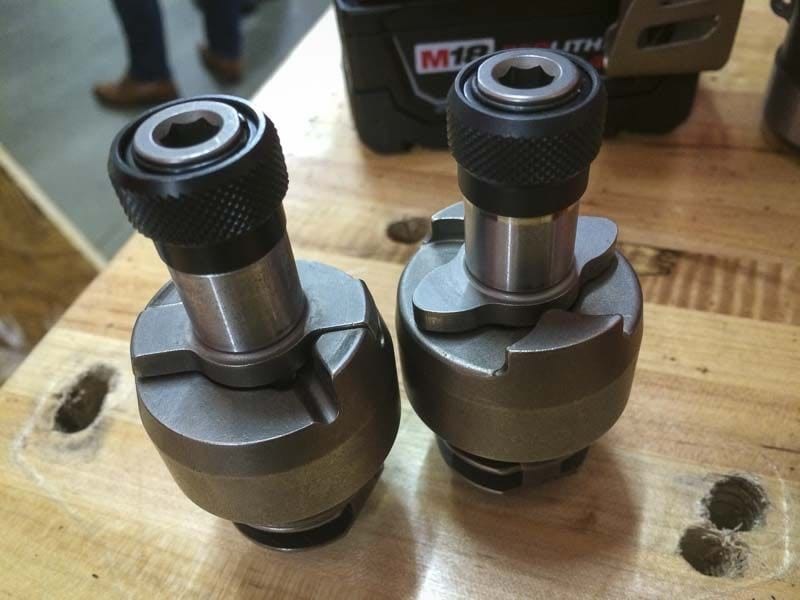
An impact driver starts by producing steady torque, but when it reaches its limit, the hammer slips over the anvil, accelerates, and slams back into it. This action is momentary and creates vibration you can feel with each strike.
The result is higher torque than a drill can produce. Since some models can strike as many as 60 times per second, the torque it transfers to the bit helps make progress very quickly. Additionally, the quick, hard strike is much better at getting stuck fasteners to move than drills.
One of the downsides is that the impacting operation can be very loud.
How Drills Work
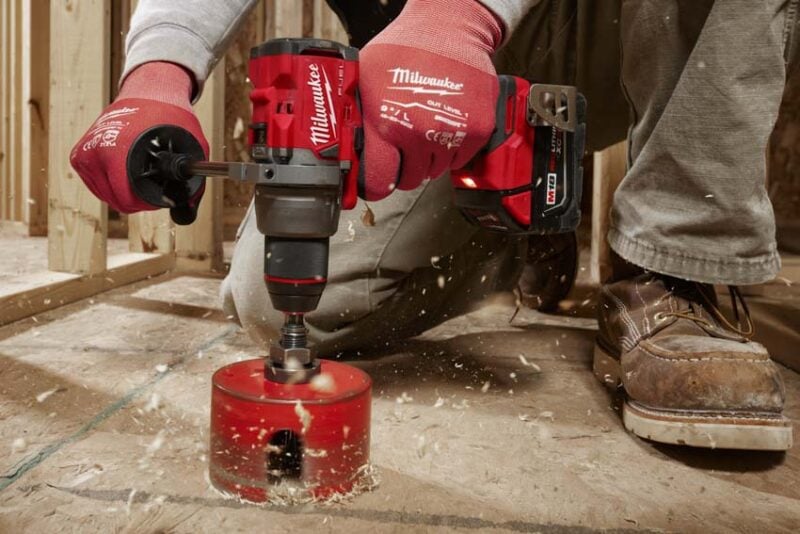
Drills are much simpler in design than impact drivers. Unlike an impact driver, a drill uses its motor and gearing to provide steady, constant torque to the chuck.
When a drill reaches the limit of its power, it simply stops, and the motor shuts off. On an impact driver, the hammer would continue hitting the anvil even if it wasn’t driving the screw any further.
The result is less maximum torque, but it’s uninterrupted. You don’t feel the same vibration you do on an impact driver, and the tool makes much less noise.
One downside is that if the bit gets stuck, the drill can continue to spin, causing a painful twist in your wrist or elbow. It’s one of the reasons many high-torque drills include kickback control. On an impact driver, the release between strikes keeps the tool from spinning, so there’s no need for kickback control.
Impact Driver vs Drill Chucks
1/4-inch Hex Collet on Impact Drivers
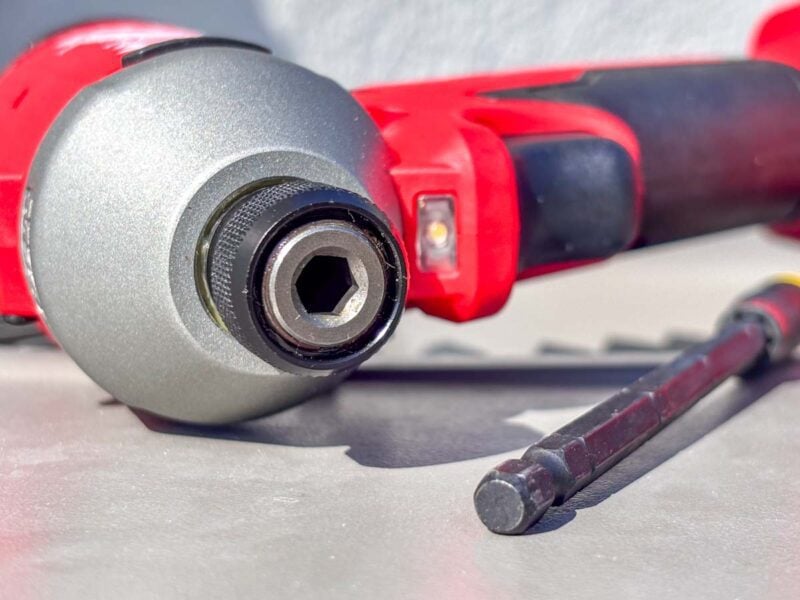
Impact drivers use a 1/4-inch quick-release hex collet. In its most basic form, you pull the collet itself away to insert a bit. To remove it, you again pull the collet out, and it releases the bit.
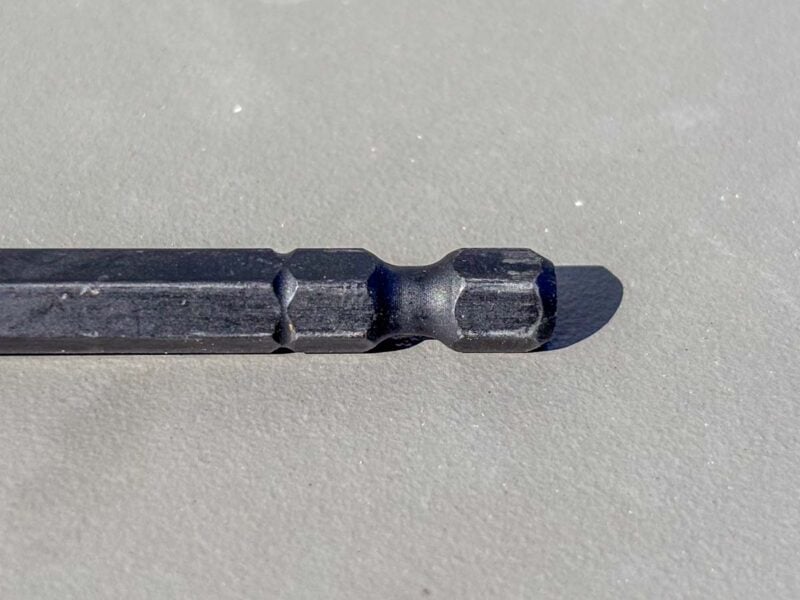
The collet’s design requires a very specific bit shank to work: a 1/4-inch hex. It’s not only the hexagonal shape that creates the magic, but also a relief section. The shape corresponds to the opening in the collet, while the relief section is where the mechanism can close in to lock the bit in place.
Fortunately, 1/4-inch hex bits are widely available anywhere that sells tools. You can find impact-rated bit sets for screws and bolts. There are drill bits with hex shanks. Even most multi-bit screwdrivers use a 1/4-inch hex shank that’s compatible with the same bits.
But that’s the only shape that works. Round drill bits, 7/16-inch hex bits, and other shapes or sizes won’t fit.
Keyless Chucks on Drills
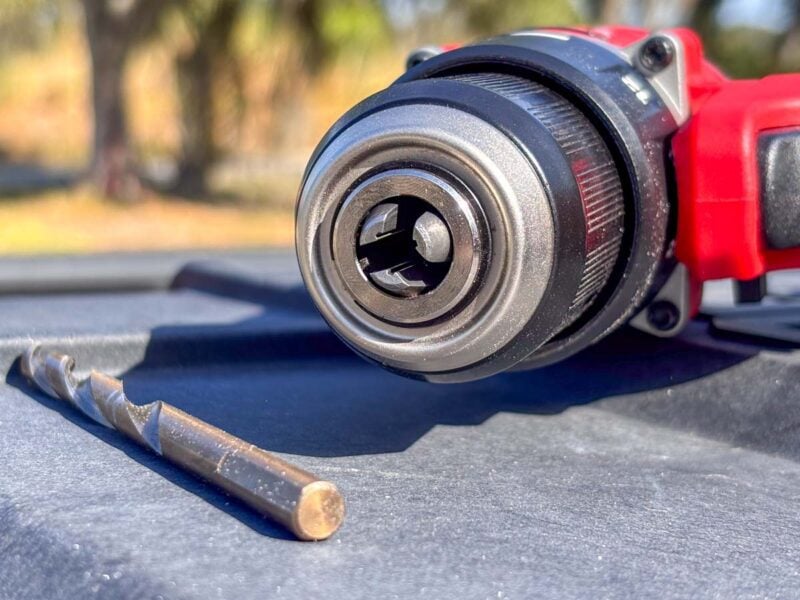
Most cordless drills feature a keyless chuck. That means you don’t need that funny-looking key that’s bent to 90 degrees to change out bits the way your dad did back in the ’80s.
When you rotate the outside of a keyless chuck, it extends or retracts a set of teeth that bite into the bit to hold it. This allows it to hold a variety of shank sizes and shapes, including round and 1/4-inch hex.
However, there are two sizes you should be aware of. Compact and less powerful drills often feature a 3/8-inch keyless chuck. Larger and more powerful models use a 1/2-inch keyless chuck.
The smaller chuck won’t work with bit that have larger shanks, like the 7/16-inch hex shank found on self-feed bits used for rough-in. It’s intentional. Those larger bits need more torque to work effectively, and so by downsizing the chuck, you can eliminate the temptation to overwork the drill.
You might come across what looks like a drill with a 1/4-inch hex collet. These cordless screwdrivers have less torque than the top cordless drills and are designed for people who want the steady torque control of a drill with the more compact design of an impact driver.
Impact Driver vs Drill Controls and Performance
Controls on an Impact Driver
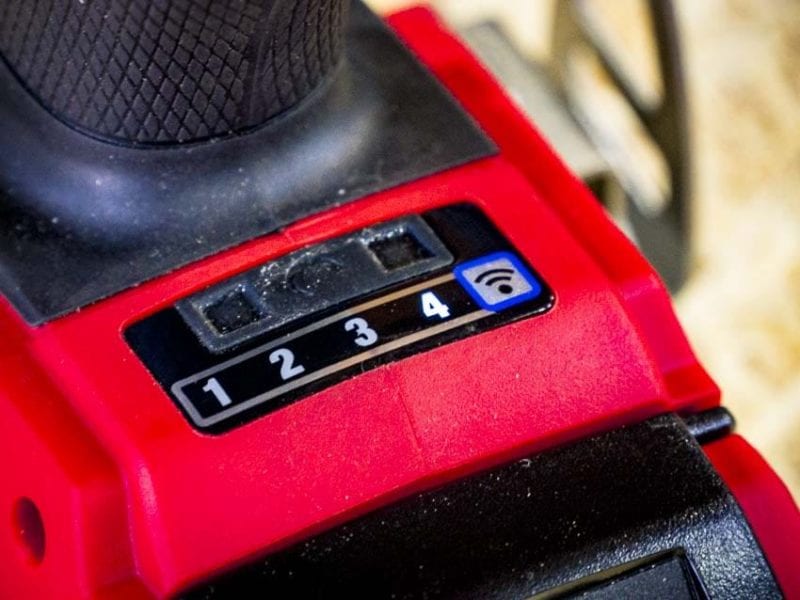
Despite a more complex mechanism, the basic controls on an impact driver are a bit easier to understand than a drill. Most impact drivers have at least two modes, and the Pro-grade models we use typically have three or four modes. The majority of impact drivers have the controls on the foot of the tool, where you either slide a switch or press a button to change modes electronically.
The performance works exactly how most people think they should. Low mode has the lowest speed and power, and high mode has the highest speed and power. Both increase as you shift into higher modes.
Higher-end impact drivers often have special modes as well. These assist modes help optimize your workflow by avoiding damage to fasteners or workpieces. Here are two of the most common:
- Self-tapping Screw: Starts fast to get the screw into metal and then slows down to avoid snapping off the screw head.
- Reverse Control: Starts fast and powerful to break loose a nut and then slows down to control threading it off.
Controls on a Drill
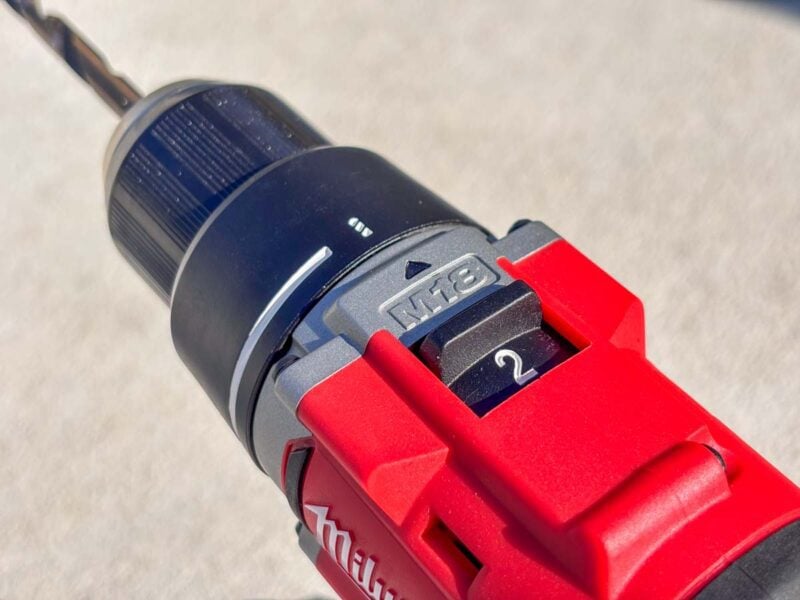
Most drill controls include a gearbox and a mode collar. On the top of the drill is a switch that physically changes the gear inside the housing. Most drills have two gears, but some have three, and we’ve even tested a couple that have four.
The gear you’re in determines how much performance you get, but it’s an inverse relationship. When you select a gear with higher speed, you get lower top-end torque. When you switch to your slowest gear, you get the highest torque.
There are two basic modes you can use as well. Drilling mode (usually indicated by a drill bit icon) uses all the available speed and torque for the gear you’re in. You can control it by feathering the variable speed trigger.
Driving mode is for engaging the clutch when you want to control how deep you want to drive screws. When you use this mode, an internal clutch causes the chuck to slip when it reaches a preset amount of torque, so you don’t overdrive screws.
It’s helpful when you’re working with hardwood that can split easily or builds that require a perfect finish. I use it extensively when I’m setting Tapcons in concrete.
Learn more about how to use drill clutch settings.
Performance Comparison
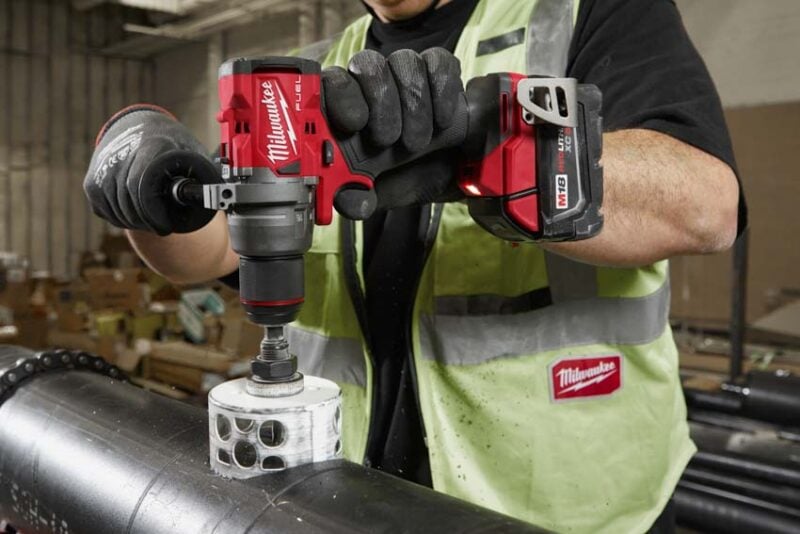
Here’s a quick look at how Milwaukee’s 4th-generation M18 Fuel impact driver and drill compare on paper:
| M18 Fuel Impact Driver 2953 | M18 Fuel Drill 2903 | |
|---|---|---|
| Speeds | 0 – 1700/3000/3900 RPM | 0 – 500/2100 RPM |
| Max Torque | 2000 in-lbs | 1400 in-lbs |
While it looks like the impact driver would be the clear winner in any competition, that’s not always the case.
We’ve run many tests showing that the drill is actually faster in most cases. It’s because of how the mechanisms work. The interruption between each hammer strike on the impact driver slows it down compared to the steady progress of a drill when you’re drilling holes or driving screws.
The impact driver pulls ahead when you’re driving screws that push a drill to its torque limits. When the drill starts to struggle to make progress, the higher torque and impacting action of an impact driver is faster.
However, it’s very rare that an impact driver would ever drill holes faster than a drill.
Impact Driver vs Drill Size and Weight
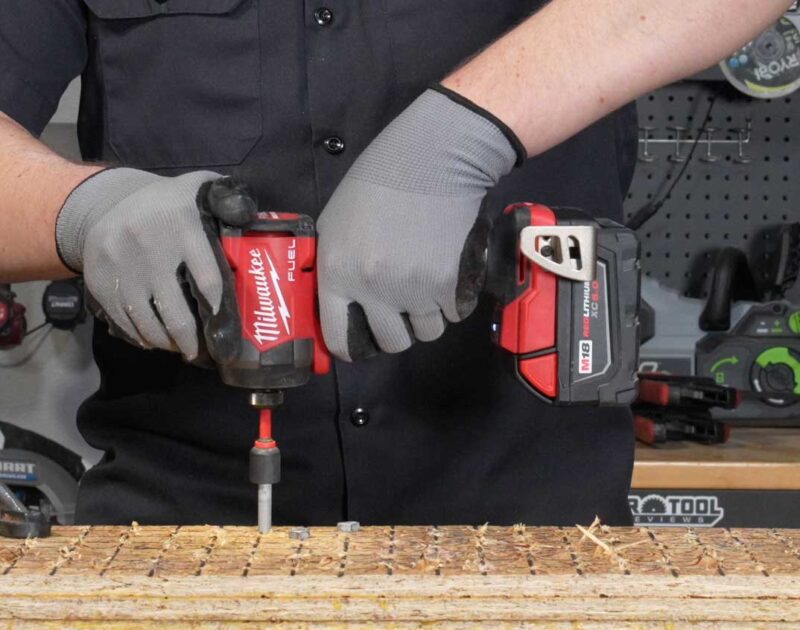
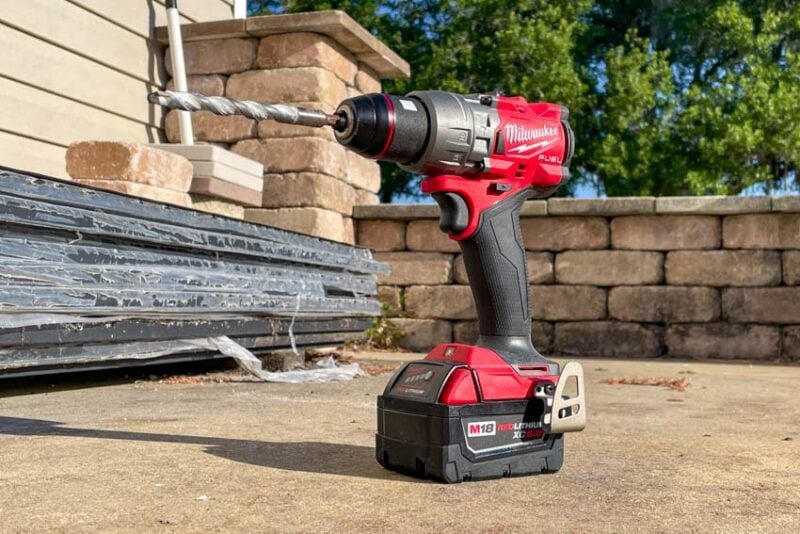
The mechanisms inside impact drivers and drills have a significant impact on the size and weight of each tool.
Drills are longer and heavier, while impact drivers are shorter and lighter. This is one of the reasons why there’s a push to do as much work with an impact driver as possible. Even though it’s louder and has some vibration, the lighter weight is less fatiguing and it can fit into tighter spaces.
Here’s another look at the Milwaukee models we considered a moment ago:
| M18 Fuel Impact Driver 2953 | M18 Fuel Drill 2903 | |
|---|---|---|
| Length | 4.5 inches | 6.9 inches |
| Bare Weight | 2.2 pounds | 3.3 pounds |
| Weight with 5.0Ah Battery | 3.7 pounds | 4.8 pounds |
What’s the Deal with Hammer Drills?
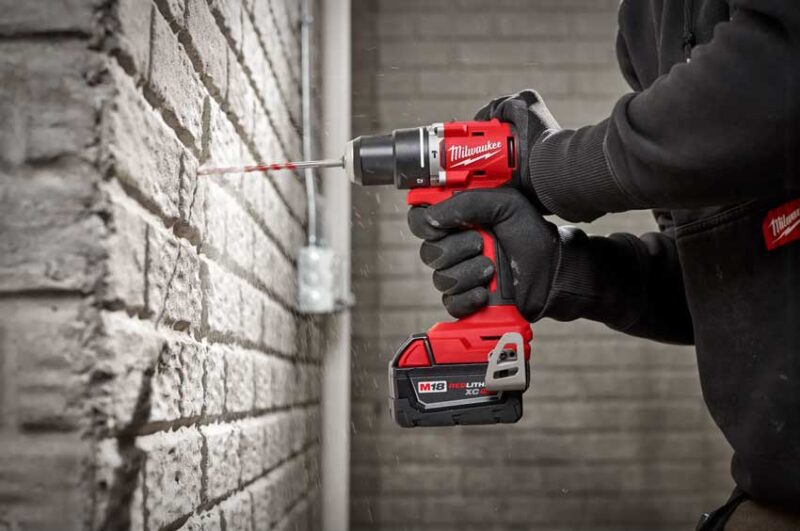
Hammer drills have the same traditional drilling action and chuck as a drill. However, there’s an extra mechanism built into it. When engaged, it creates a forward chipping action to help your drill bit make progress when you’re drilling into concrete, brick, or other masonry materials.
Drilling in those materials is a tough job, and you should always use drill bits rated for concrete. Most are carbide-tipped. Standard black oxide, titanium, and even cobalt drill bits can dull quickly in masonry.
However, there’s no benefit to using the hammer mode on other materials. In fact, it can damage your workpiece, especially when you’re drilling in tile, metal, or brittle plastics.
On the control collar, you’ll notice you have an extra mode compared to a standard drill. It usually has a hammer icon to make it clear you’re in hammer drilling mode.
The nice thing is that you can still use your other standard drilling and driving (clutch) modes. So, you’re really getting a bonus mode that makes it a 3-in-1 tool instead of a 2-in-1. For that reason, it’s usually better to own a hammer drill, even if you only use the hammer mode occasionally.
Dive deeper in our Hammer Drill vs Drill Driver or Impact Driver vs Hammer Drill features.
When to Use an Impact Driver, Drill, or Hammer Drill
Below, I’ve made a list of when it’s optimal to use each of these tools. As you become more experienced, you’ll find that any of these tools can perform most, if not all, of these tasks. But that doesn’t mean it’s the best tool for the job.
Use an Impact Driver When…
- Driving screws into wood, drywall, and metal
- Driving large-diameter structural screws or lag bolts into wood (the largest sizes may require an impact wrench)
- Tightening/loosening small to medium-sized nuts and bolts
- Drilling holes in wood or drywall
Use a Drill When…
- Driving general screws into wood, drywall, fiberglass, and other soft materials (drill mode)
- Driving screws with precision and control (driver mode)
- Drilling holes in wood, drywall, metal, tile, glass, fiberglass, or plastic (drill mode)
- Boring holes with hole saws, self-feed bits, spade bits, auger bits, step bits, or Forstner bits (drill mode)
Use a Hammer Drill When…
- Driving general screws into wood, drywall, fiberglass, and other soft materials (drill mode)
- Driving screws with precision and control (driver mode)
- Drilling holes in wood, drywall, metal, tile, glass, fiberglass, or plastic (drill mode)
- Boring holes with hole saws, self-feed bits, spade bits, auger bits, step bits, or Forstner bits (drill mode)
- Drilling holes in concrete, brick, stone or other masonry (hammer drill mode)
Should You Buy a Drill, Impact Driver, or Hammer Drill?
If you’re only going to buy one tool, buy a drill or hammer drill. They have the best versatility, and they’re the most approachable if you’re just getting started on your power tool journey.
If your budget allows for it, buy a combo kit that includes a drill and impact driver or hammer drill and impact driver. You’ll have the right tool for the job anytime you’re drilling or driving, and you’ll save money over buying a second tool later.
Better still, you can use them in tandem. Any time you need to drill a pilot hole for the fastener you’re setting, you drill the hole with your drill/hammer drill and then set the fastener with your impact driver. It’s much more efficient than switching bits back and forth.
Need a recommendation? Check out our top picks for the best cordless drill and best impact driver!
Follow Pro Tool Reviews on Facebook, Twitter, and Instagram!