
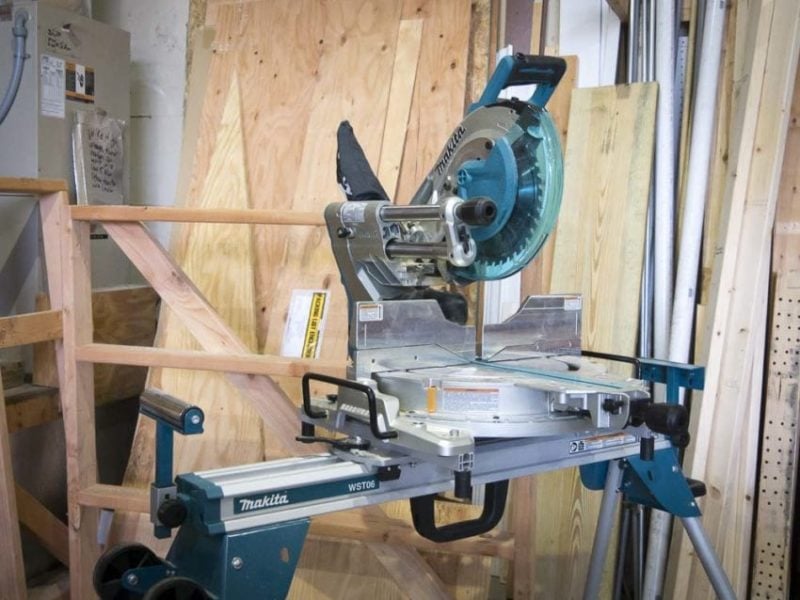
Whether you’re unboxing a new miter saw or you’ve noticed your current saw isn’t as precise as it used to be, some adjustments are in order. In the guide, I’ll show you how to calibrate a miter saw and ensure you get the precise cuts you’re hoping for.
The method I’m describing here isn’t the only one. Some are more basic, while others are far more sophisticated. This one is a happy medium that gives us excellent precision for a reasonable time investment.
How to Calibrate a Miter Saw Overview
Tools You Need
- Straightedge or bubble level (24-inch is ideal)
- Combination square (a 4-inch trim square works great)
- Feeler gauges
Steps
- Inspect the Blade
- Level the Table
- Square the Fence
- Calibrate the Miter Angle
- Calibrate the Bevel Angle
- Test Your Calibration
Wondering what we use and recommend? Check out our Best Miter Saw page to see which ones rise above the rest!
When Should You Calibrate a Miter Saw?
You should always do an initial calibration before using a miter saw for the first time (even if it’s used). They’re normally good to go when the manufacturer ships them, but they can bounce around during transport and need some adjustment.
How often you recalibrate depends on the type of work and how much you use your saw. At the end of this guide, there’s a quick flip test you can perform that only takes a couple of minutes. Using some scrap lumber, it’s easy enough to do before every use if you like. If that test fails, it’s time to calibrate.
Personally, I prefer to check each calibration point at the beginning of the week using a level and square. Our saws don’t need adjustments very often, but in about 5 minutes, you’ll know for sure if anything is out of alignment.
How to Calibrate a Miter Saw
Before you get started, be sure to unplug or remove the battery from your miter saw. While there’s little chance of engaging the blade during this process, there’s no reason to risk it.
Step 1: Inspect the Blade
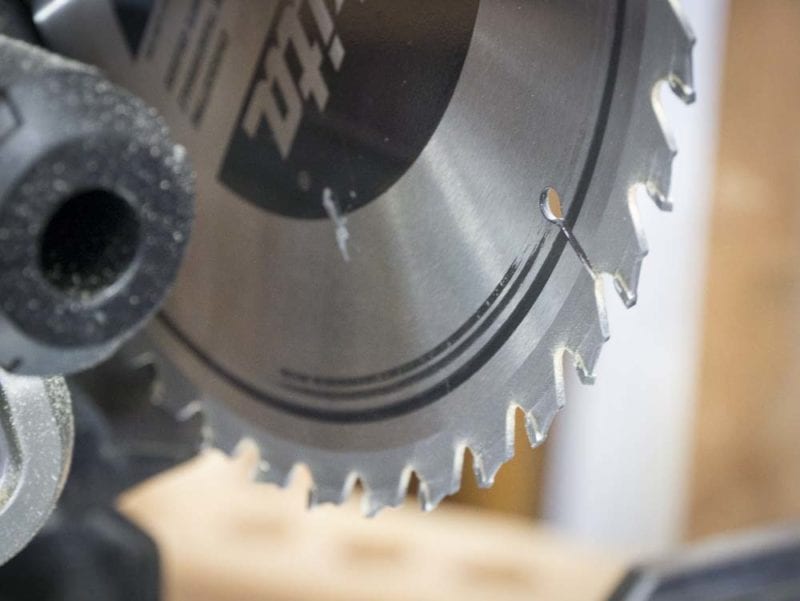
I prefer to start with the blade when I calibrate a miter saw. For new saws, there are rarely any issues, but it’s worth checking anyway. The most common concern I run into with new blades is that it doesn’t have the tooth count I want, so I may end up swapping it regardless.
If your crosscuts, miters, and bevels aren’t as tight as they should be on a saw you’ve been using, the culprit may be the blade. A little visual inspection goes a long way.
Carefully spin the blade by hand and check each tooth to make sure none of them are chipped or broken off. If you find any damage, replace the blade.
As you’re turning the blade, look at the sides and gullets to see if there’s any pitch, sap, adhesives, or general gunk building up. Some woods can leave residue behind that can affect the blade over time. In most cases, you can clean this off with a solvent and continue using the blade.
Finally, connect the saw’s power, spin the blade up, and make sure it’s spinning true with no wobble. If it’s not, the most common problem is that the blade has some warping, and you need to replace it. We’ve also run into a situation where the saw’s arbor was damaged. It’s uncommon, but if that happens, you need to send it in for repair or get a new saw.
Step 2: Level the Table
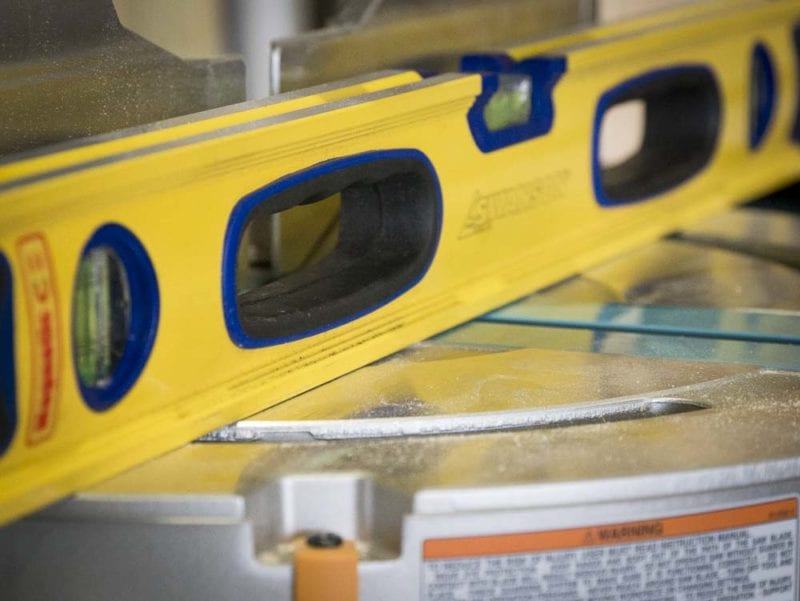
The next step in my calibration process is to check the table. Using a high-quality, calibrated level or straightedge, work your way up the table from front to back, side to side, and across the diagonals. Try to push your feeler gauge under the straight edge to identify where the high spots are. A one- or two-thousandths of an inch gap is workable, but no more than that if you want precise cuts.
The most important part is the table, so start with it to create your reference point before moving on to the wings.
If you don’t have feeler gauges, you can shine a light behind the level. Anywhere light leaks through is a gap you may have to deal with. Another alternative is to use a sheet of paper in place of a feeler gauge. These aren’t as precise, but they get you close enough for most projects.
In contrast to other miter saw calibrations, making an out-of-whack table flat is difficult (but not impossible). You’ll need to remove some components, mark the high spots, and systematically sand them down. Here’s a good video that can show you the whole process (the audio is rough, but his info is solid).
Step 3: Calibrate the Fence
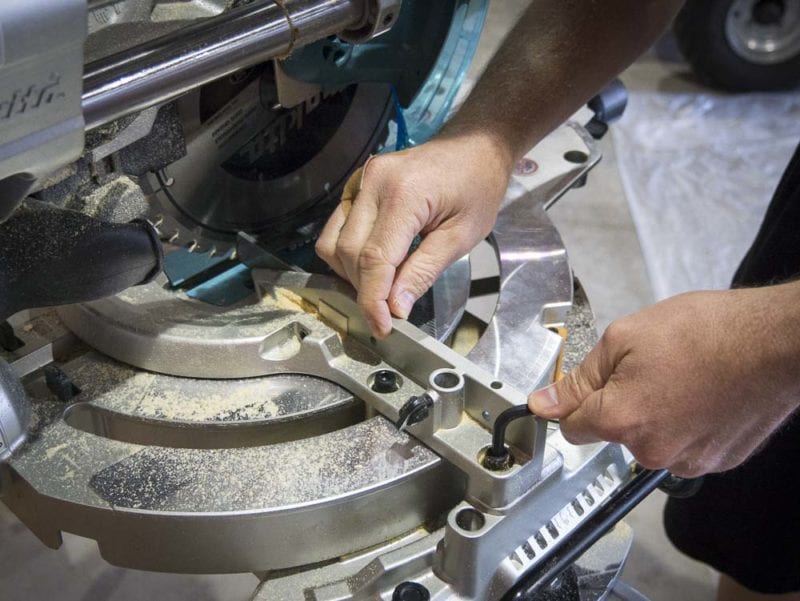
Once you know the table is flat, it’s time to square the fence to the table. If you have a split fence (two pieces) instead of a single, solid fence, you need to make sure they’re even as well.
Start by setting a combination square against the fence and table to see if it’s 90°. Use your feeler gauges to check for gaps.
If you find any problems, loosen the bolts holding the fence to the table and square it up. Once the fence is properly set, you can lightly snug up the bolts, double-check the position with your square, and tighten the bolts the rest of the way down.
If you have a split fence, you can now even them up. Place your straightedge across both sides, loosen the bolts for the side you haven’t calibrated, bring them into alignment, and tighten the bolts back down. Double-check for gaps with your feeler gauges. For the side you just set, use your combination square to double-check that it’s also square with the table.
Step 4: Calibrate the Miter Gauge
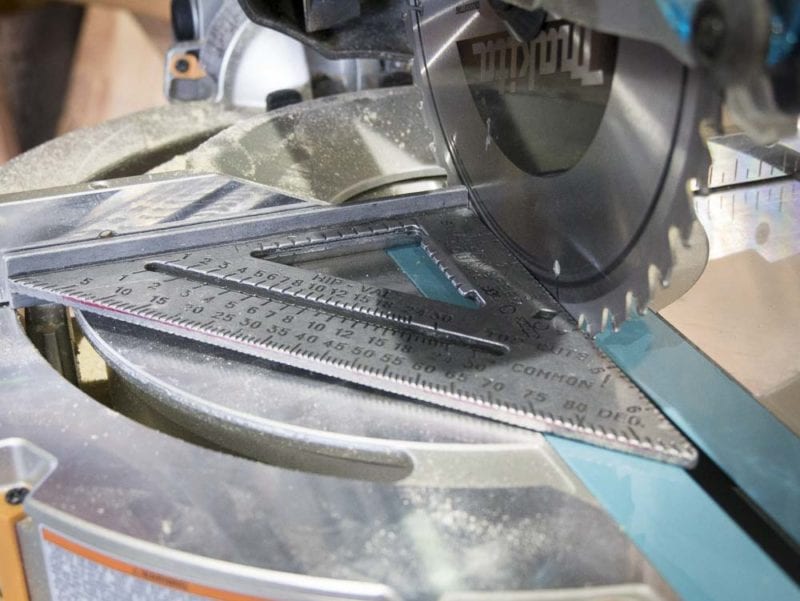
To calibrate the miter gauge, start by setting the table into the 0° miter detent. Drop the blade down and push the pin in to hold the arm in place. Set your combination square against the fence and blade, and use your feeler gauges to see if there are any gaps between the square and blade. You may have to turn the blade slightly so the carbide teeth aren’t pushing against the square and messing with your measurement.
If you have a gap, the detents in the miter gauge are the most likely suspect. Loosen the calibration screws (often located through the ends of the miter angle plate), turn the table slightly to get the blade in alignment, and tighten the calibration screw back down.
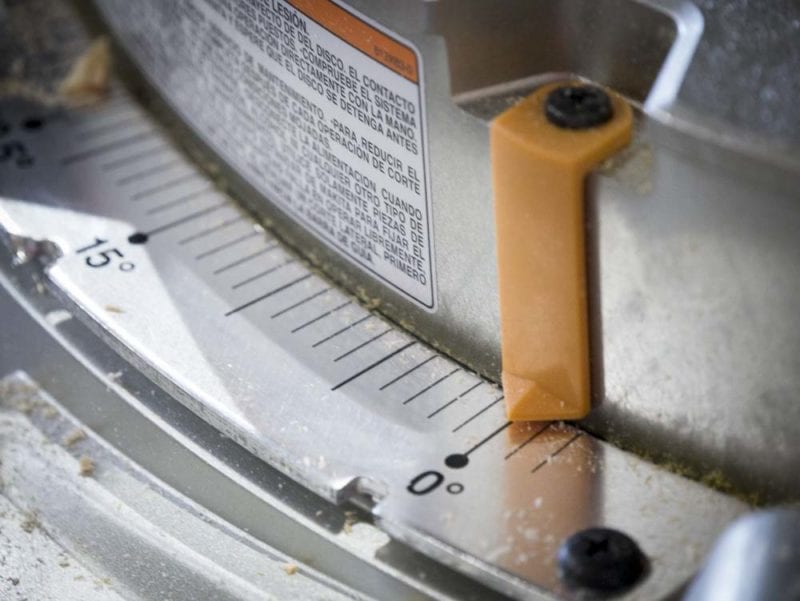
If the blade is square, but the angle indicator isn’t exactly at 0°, loosen the screw on top of the angle indicator, line it up at 0°, and tighten it back down.
Step 5: Calibrate the Bevel Gauge
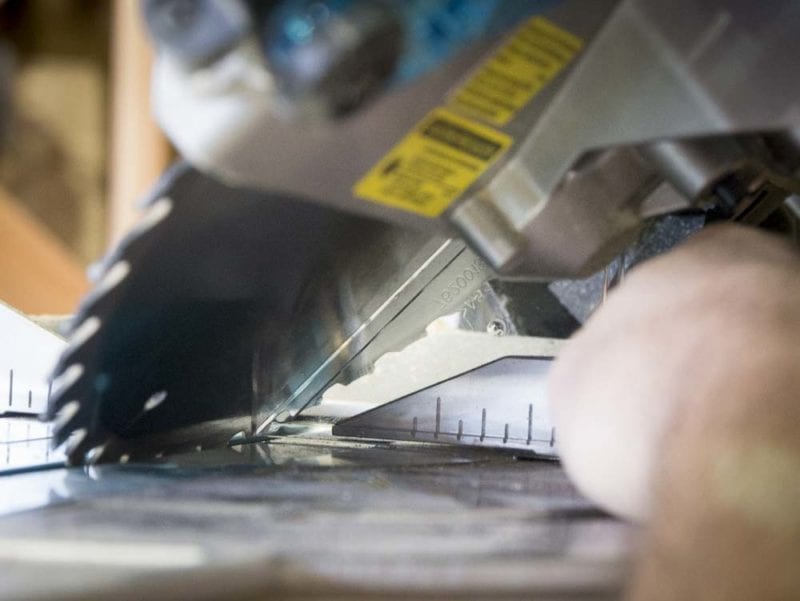
Finally, we can true up the bevel angle. Start by locking the saw into the 45° bevel detent. Slide your combination square between the blade and table at a matching 45° angle, and use your feeler gauges to look for gaps around the blade. If there’s a gap between the blade and the square, use the bevel adjustment bolt (often located near the back of the miter saw) to bring the bevel into alignment.
If the blade is square, but the angle indicator isn’t exactly at 0°, loosen the screw on the angle indicator, line it up at 0°, and tighten it back down.
For saws with a dual-bevel function, repeat the process for the opposite side.
Step 6: Check Your Calibration with a Flip Test
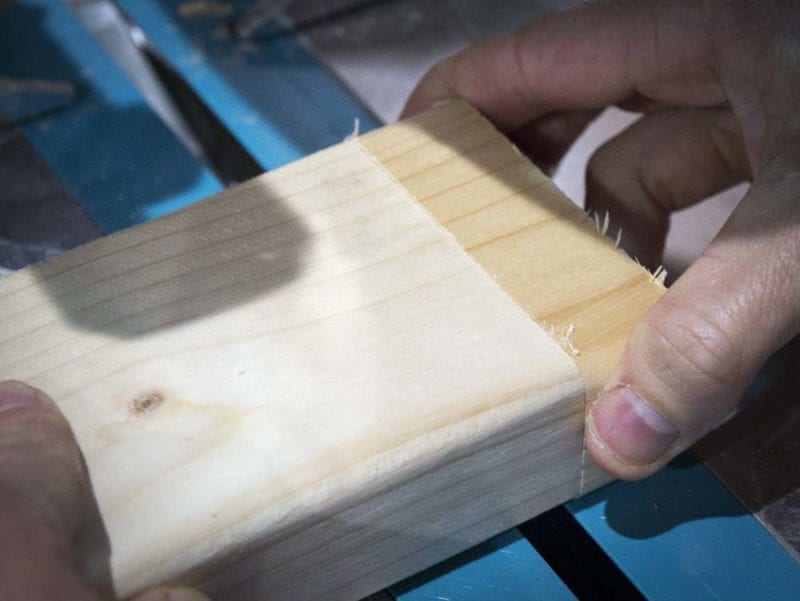
A quick way to check a miter saw’s accuracy is a simple flip test. Set your saw up for a 90° crosscut and shave the end off of a piece of lumber. Then, cut off a piece a few inches long.
Take the piece you cut off and flip it over from right to left. Press both pieces up against the fence and into each other. If the miter wasn’t a perfect 90°, you’ll see a triangular gap where they join. Adjust accordingly.
You can also perform the same test with bevel cuts.