
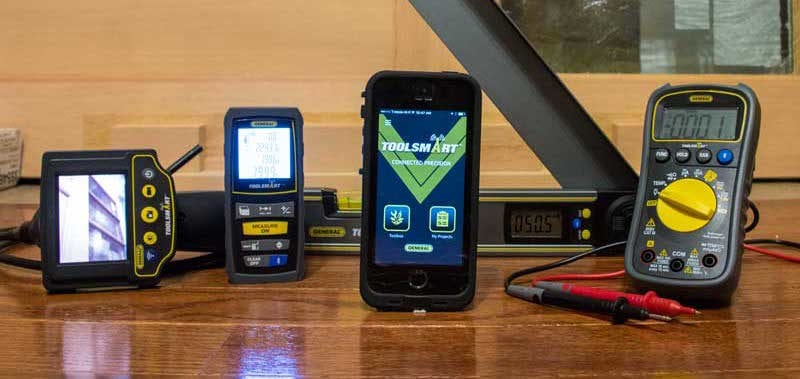
General ToolSmart Tools include Bluetooth connectivity for capturing data to your smartphone and helping you perform calculations on the fly. While General Tools is no stranger to multimeters and inspection cameras, this foray into app-enabled Bluetooth connected tools is a decidedly huge step forward into the estimating and MRO markets. As more and more of our information moves into the digital realm, manufacturers are trying to come up with new ways to save Pros time when estimating jobs or storing data about room dimensions & volume, inspection video images, complex molding requirements and more.
General Tools’ goals for the ToolSmart line of tools is to accomplish the following things (which they tout as the primary features of the system):
- Eliminate the need to jot down readings on scraps of paper that often get lost in cluttered project areas.
- Create a way to store and integrate data and generate lists of materials and tools to minimize human error and trips to the local home center.
General ToolSmart Tools add Bluetooth Connectivity
So what does Bluetooth add that you can’t get with a traditional tool? Two things of significance: First, the ability to document and record data in a way that can be recalled and manipulated later, and second, the ability to perform on-the-fly calculations to that data to arrive at complex answers like room volume, wall area, or even how much of a given material to purchase.
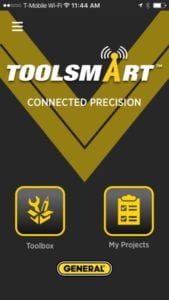
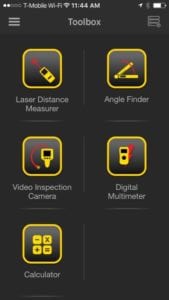
It’s the ability to perform complex estimating tasks that is most likely to drive Pro consumers to purchase newer tools that are Bluetooth or WiFi-enabled. The real issue will be usability—does it make your job easier or give you features you’re unlikely to use or need? Only time will tell. So what’s out there? Here are the currently available General ToolSmart tools:
General ToolSmart Laser Distance Measurer
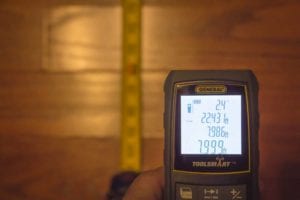 The General ToolSmart Laser Distance Measurer doesn’t add anything profound in its basic capabilities. It can measure distances of up to 100 feet with 1/16 in. accuracy and operates with a minimal amount of controls (there are 8 buttons). When you combine the tool with the General Tools ToolSmart app, however, you get the ability to calculate and estimate the amount of materials needed to get a job done. When you take your measurements, the mode determines whether you’re merely “gathering data” or finding the height of a room using either two or three measurement points—or whether you’re calculating square feet for flooring or paint. Distances can be captured, calculation performed, and then area or volume derived depending upon the inputs and the mode with which you’ve engaged the tool.
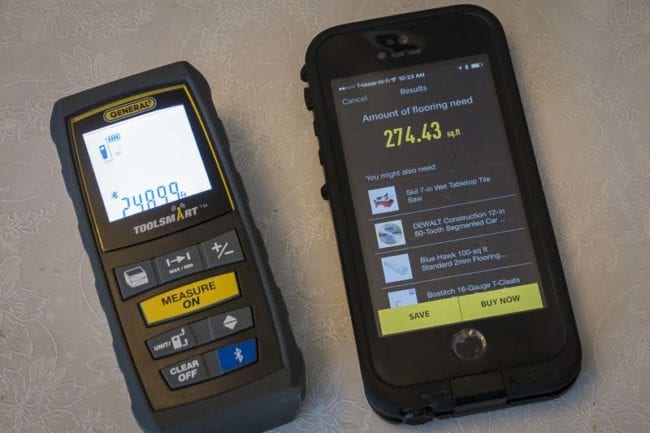
ToolSmart Laser Distance Measure Specs & Features
- Measurement range: 8 in. to 100 ft. (200mm to 30m)
- Measurement accuracy: ±1/16 in. (±1.5mm)
- Resolution: 1mm
- Unit options: feet–decimals (default), feet–fractional inches, inches, meters
- Response time: 2 seconds, max
- Laser: Class 2, 630 to 660nm, < 1mW
- Operating modes: Direct distance, distance addition/subtraction, continuous distance (distance tracking), indirect distance (triangulation) with 2 or 3 inputs, auto height, area and perimeter, volume
- Display: 4-line backlit LCD measuring 1-3/4 in. (45mm) diagonal
- Memory: 20 measurements, auto-cycling
- IP54 rated
- Auto power off: 3 minutes of inactivity
- Auto laser off: 30 seconds of inactivity
- Auto backlight off: 10 seconds of inactivity
- Battery life (typical): 3000 measurements
- Operating temperature: 32° to 104°F (0° to 40°C)
- Storage Temperature: 14º to 140ºF (-10º to 60ºC) @ <85% R.H.
- Power source: 2 AAA batteries
- Weight (excluding batteries): 4.2 oz. (120g)
- Includes: Holster (soft pouch with a belt loop), two AAA Alkaline batteries, small flat-head screwdriver, user manual
- Price: $69.98
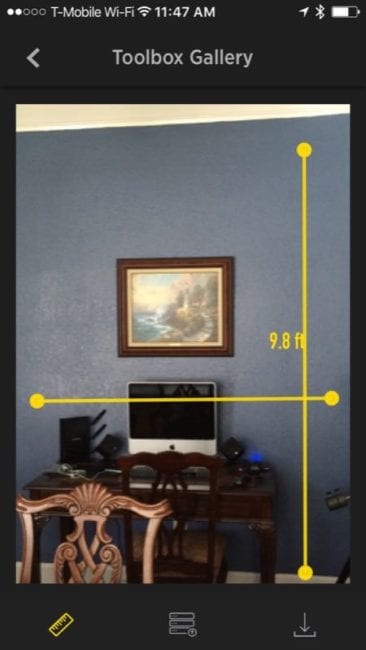
So the possibilities are clear—you can walk into a room, shoot the walls and ceiling and more or less instantly calculate how much paint, tile, or molding is needed to get the job done—all without having to reach for a pencil or do any math. The good thing is that since General Tools is using the ToolSmart app, future updates can bring even better functionality and ease of use to the system (right now we’d say the app is in its debut stage). Ease of use will result in a better and more practical application that will appeal to more and more users.
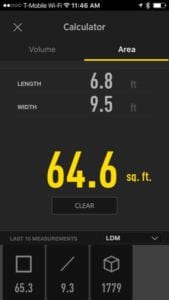
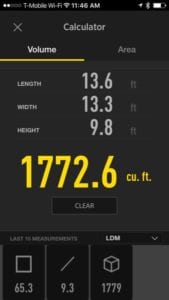
Another thing the app does is connect to Lowe’s, so once you have the calculated amounts for your materials you can use the app to get pricing or even place an order online.
General ToolSmart Video Inspection Camera
We’re quite familiar with these products having done a comprehensive inspection cameras comparison head to head a while back where we compared the performance and features of several top models. The General ToolSmart Video Inspection Camera is nothing new, but it has some really nice features, like a narrow 8mm diameter camera head that will fit just about anywhere. The camera is appended to the end of 3.3-foot flexible probe.
General ToolSmart Video Inspection Camera Specifications
- Camera probe: Flexible-obedient/8mm (0.31 in.)/3.3 ft. (1m)
- IP67 rated
- Camera field of view: 54°
- Camera depth of field: 1.2 in. to 10 ft. (30mm to 3m)
- Camera resolution: 640 x 480 pixels (VGA)
- Camera light: Four white adjustable-brightness LEDs
- Display: Color TFT LCD/2.7 in. (69mm)
- Display resolution: 960 x 240 pixels
- WiFi range: 60 ft. (18m), max (unobstructed)
- Power: (4) AA batteries (included)
- Operating temperature: 32º to 104ºF (0º to 40ºC) @15 to 85% RH
- Weight (including camera): 12 oz. (340g)
- Includes: Three snap-on probe tip accessories (45º mirror, pickup hook, magnetic pickup), four AA batteries, user manual
- Price: $129.98
There are two inherent difficulties (at least) when dealing with inspection cameras: visibility and maneuverability. To overcome one you oftentimes sacrifice the other. By remotely locating (or in this case, duplicating) the screen to your smart phone, General Tools lets you fully manipulate the probe as needed without any concern for which way the attached camera screen is oriented. With a detached smart phone or tablet you have a nice fixed reference point. Lock the screen orientation on your smart phone, and you’ve got even more control over what you see.
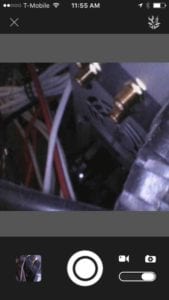
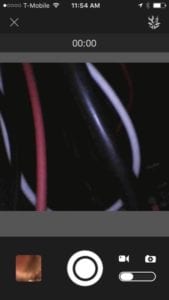
It’s when the job requires documentation that General at least partially addresses this. Both images and videos can be saved to the ToolSmart app by either pushing the photo or video button on the camera, or by selecting the desired mode and doing the same in the software app. Currently, these photos cannot be exported from the app, and they also don’t show up in your camera’s images folder—at least not on iOS.
You also can’t export, email, or otherwise share the images—which is a perplexing missing feature. These are all things we hope to see improved upon in a future version of the app. When you’re writing up estimates, you’ll have the photos and documentation right there sorted by date. There isn’t any photo/video editing built in to the app yet, but it would be nice to have the ability to crop photos or cut videos to keep only the part you need.
General ToolSmart Digital Angle Finder
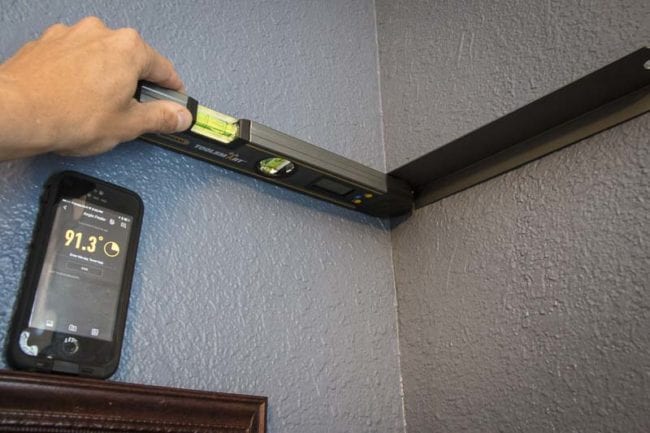
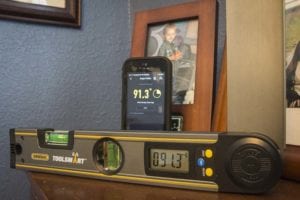 A digital angle finder is invaluable when you’re working on older homes built in the 1920’s (or earlier). Nothing is straight—and I mean nothing. Any Pro will know that this can wreak havoc on any sense of predetermined flat miter cut settings you may have rolling around your head. 31.6º and 33.9º only work on 38º crown if your corner is at an even 90. In my home this 90 degree angles may be 91.3º, 93º or even worse. That means you need to adjust your flat bevel and miter cut angles accordingly—assuming you’re cutting crown flat. Even if you’re not, knowing the actual corner angle is imperative for accurate inside and outside crown joints. The new General Tools Digital Angle Finder gives you an easy to read digital display, but it also lets you capture those measurements to the ToolSmart app on your iPhone or Android device. Is there a button on the angle finder to automatically save the measurement? That would be a cool feature when you’re working in awkward spaces.
General Tools ToolSmart Digital Angle Finder Specs
- Measurement range: 0º to 225º
- Measurement accuracy: ±0.3º
- Resolution: 0.1º
- LCD screen: 1.6 in. diagonal
- 5-minute auto power off
- Operating temperature: 32° to 104°F (0° to 40°C)
- Dimensions: 12 x 2 x 0.9 in. (305 x 51 x 23mm)
- Includes: CR2032 battery, users manual
- Price: $49.98
General ToolSmart Digital Multimeter
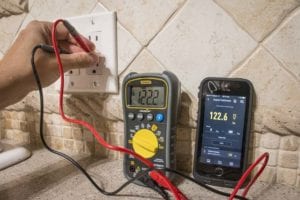 The General Tools ToolSmart Digital Multimeter will read voltage, current, resistance, but also adds the ability to measure temperature thanks to an included thermocouple probe that’s accurate to 2%. It features the expected physical knob to select the mode, and voltage ranges are autoselected, or you can override them with the RAN (range) button. The General ToolSmart digital multimeter lets you connect to your smart phone and you can use that screen as a real-time secondary display for checking your measurements. If you’re working with someone who’s taking down measurements for you that can be convenient. Also, since there’s no backlighting on this first generation model, if you’re working in a dimly lit area (which is just about everywhere), the ability to use your phone’s LCD screen may be helpful. While the ToolSmart app shows you real-time data form the digital multimeter, you still need to save that data from the app if you want to recall it later. You can take photos from within the ToolSmart app from within a project, allowing you to have some reference points for your work. I’d like to see the ability to assign values and measurements to those photos as the app is updated.
General Tools ToolSmart Digital Multimeter Specifications
- AC voltage ranges: 0 to 4V/40V/400V/600V
- AC voltage accuracy/resolution: ±(1% of reading + 10 digits)/1mV
- DC voltage ranges: 0 to 400mV/4V/40V/400V/600V
- DC voltage accuracy/resolution: ±(0.8% of reading + 5 digits) in 600V range; ±(0.5% of reading + 2 digits) in other ranges/0.1mV
- AC/DC current ranges: 0 to 400uA/4mA/40mA/400mA/10A
- AC/DC current accuracy/resolution: ±(2% of reading + 3 digits) in 10A range; ±(1.2% of reading + 6 digits) or better in other ranges/0.1μA
- Resistance ranges: 0 to 400Ω/4kΩ/40kΩ/400Ω/4MΩ/40MΩ
- Resistance accuracy/resolution: ±(0.8% of reading + 3 digits), typical)/0.1Ω
- Temperature range: -4º to 1832ºF (-20º to 1000ºC)
- Temperature accuracy: ±(2.0% of reading + 2 digits)
- Measurement range of included thermocouple probe: -4° to 500°F (-20° to 260°C)
- Measurement accuracy of included thermocouple probe: ±(2% + 2 digits)
- Continuity threshold:<50Ω
- Diode integrity range/resolution: 0 to 2.7V/1mV
- Safety rating: CAT III 600V
- NCV detection voltage & distance: >110VACRMS@ <1/4 in. (6mm)
- Bluetooth range: 33 ft. (10m), max (unobstructed)
- Maximum input voltage: 600VDC/ACRMS
- Fuse protection: 400mV/600V fuse for multi-function jack; 10A/600V fuse for 10A jack
- Sampling time: 3X/sec
- Display: 3-3/4 digits, w/maximum count of 4000
- Low battery indication threshold: <6.7VDC
- Operating temperature: 32° to 104°F (0° to 40°C) @<80%RH
- Power source: 9V battery (included)
- Weight (including battery): 8.2 oz. (232g)
- Includes: Double-insulated test leads, bead thermocouple probe and plug adapter, 9V battery, users manual
- Dimensions: 5.8 x 2.9 x 2.0 in. (148 x 74 x 50mm)
- Price: $49.98
Conclusion
General Tools has started down the path of digital tools, and the fact that you can store and retrieve data is a step in the right direction. Pricing for the tools is spot on, and General is definitely not positioning these as premium solutions, but rather enhanced tools for aiding those who would want to ditch pen and paper to jot down measurements while they work.
Smart tools are an industry trend that is still in its infancy. There’s a learning curve that has to take place both for us as users and for the engineers that have to bring tools and IT together in seamless function. Take your time to get oriented with how the tool and app function together and be sure to leave General Tools some feedback on their page to help developers know how they can make the tools even more efficient and user friendly.