
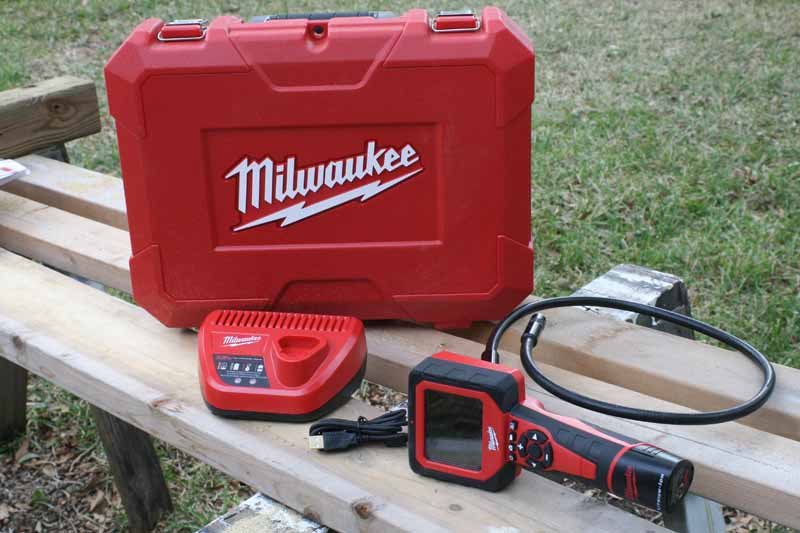
If you don’t have a cordless inspection camera, you don’t know what you’re missing. Or maybe you don’t need one, who knows? But if after reading this review you don’t at least have some inspection camera envy, you’re not walking around with a pulse. The Milwaukee M-Spector AV M12 Multimedia Camera (whew, long name) is a solution for those working primarily in the plumbing, electrical, and automotive fields. From the ground up, the M-Spector is designed for portability and maneuverability – allowing you to visually go places you would never have been able to before.
While the uses of inspection cameras may seem obvious, what isn’t obvious is that what may have cost over $1000 just a few years ago has now become so affordable that not only professionals are looking into these products—Joe Consumer is also taking a second look.
Milwaukee M-Spector AV M12 Multimedia Camera Features
Build Quality
At barely over 2 pounds, the M-Spector AV is a very portable tool that can be used overhead for even extended periods of time without much fatigue. The 2311-21 Kit we reviewed came with a hard case, the M-Spector AV 2311-20 Camera (w/17mm camera cable), a 2GB SD card, a single M12 battery, a charger, and a USB cable for downloading stored images and videos.
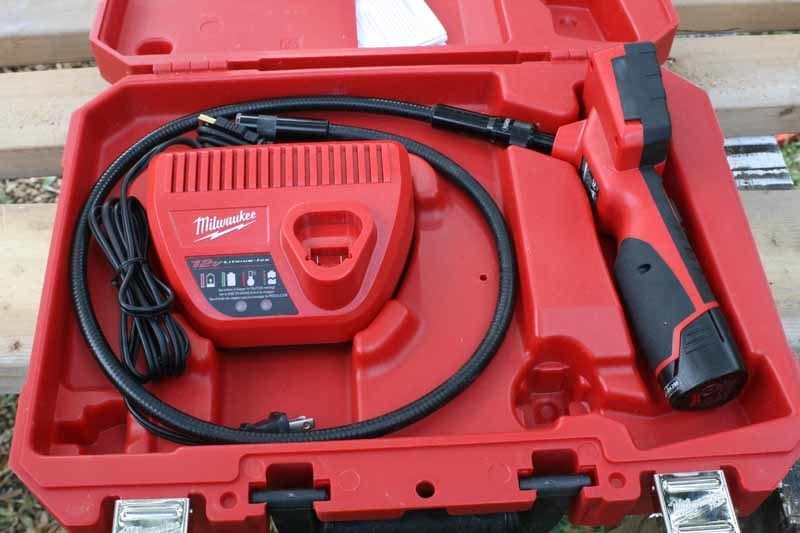
Milwaukee coated the back of the handle with its trademark (though perhaps not in the literal sense of the term) rubberized grip, but it also extended the coating up along the sides of the tool’s front handle so that it won’t twist in your hand. This is where you can see the advantage Milwaukee has of using its internal design and mockup facilities to test, model, and revise tools before shipping the final designs to China for mass production. This isn’t their first time around the block – and you know it didn’t come out like this on the first model produced in-house.
Not only did they provide a rubberized grip, but they roughed it up for a really solid hold that will keep the tool exactly where you want it. Why is this important? For anyone who’s ever used an inspection camera, you’ll know that you really have to twist and turn it to get the cable and camera head where you want it. This involves the ability to precisely maneuver the M-Spector in such a way that you can achieve exactly the position you require. With the roughened grip, you can get a solid grasp of the tool with zero chance of it slipping around on you. The remainder of the rubberized coating, around the LCD screen, for example, lacks this rough treatment and is smooth, as a protective surface to guard against falls, bumps, and scrapes.
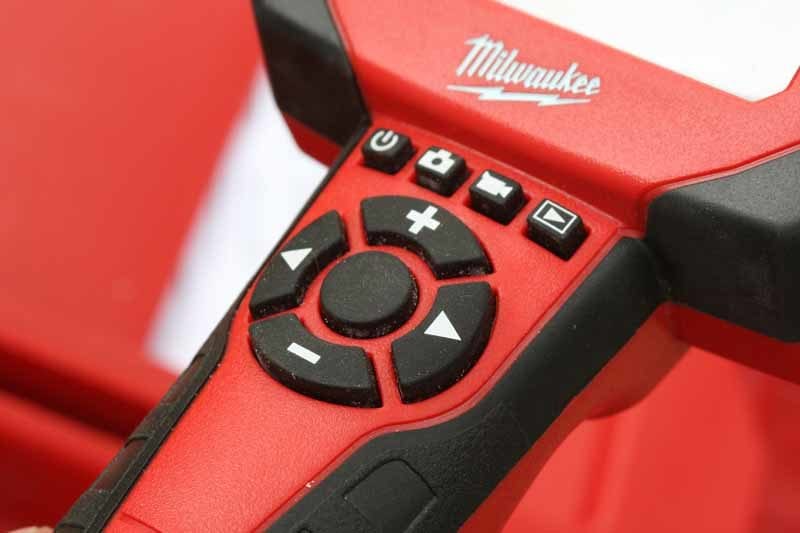
Speaking of the LCD screen, it’s 3.5″ diagonal and was bright enough to use in the scenarios we tested it in. For what I hope are obvious reasons, it’s not designed for working in bright sunlight or outdoors. The M-Spector AV (the ‘AV’ is because it can record both audio and video) has a very simplified user interface. There are four buttons and below that, a four-way navigation control with a center button. The buttons are all rubberized and easy to use bare-handed or with gloves.

The M-Spector is compatible with M12 or M12 RedLithium batteries (it ships with a single M12 battery) and has an estimated runtime of 12+ hours. Because it uses an LED-based light system in the camera cable, you won’t waste a lot of energy lighting your work area. The M-Spector AV 2311-21 comes with a 17mm camera cable that is around 39 inches long, but there is also a 9.5mm analogue model for automotive applications (model #2312-21).
The flexible metal-wound cable attaches securely to the camera via a connector reminiscent of an S-Video connector, but with a larger diameter and a threaded over shield that holds it fast to the camera’s body. It’s a nice design, and it’s completely waterproof up to the point of connection—a detail that is extremely important when working with plumbing or any place that might otherwise introduce foreign material into the cabling.
Features
We’ve already addressed some of the features of this camera, but the main point we wanted to emphasize was ease of use. After a little practice, we found that it was quite easy to get around the menu system and accomplish all the tasks we desired. There is a dedicated button for each of the three modes: still camera, video, and playback. In both still camera and video modes, you can use the left and right buttons on the control pad to change between the three available settings: LED intensity (3 levels and off), digital zoom, and orientation (which rotates the image 180 degrees). It was nice to see the same features available for still images as well as video, and it came in handy when using the tool in situations that warranted some flexibility in lighting and orientation of the screen.
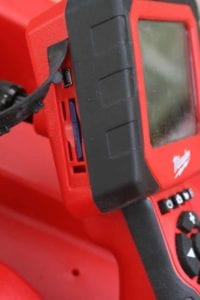
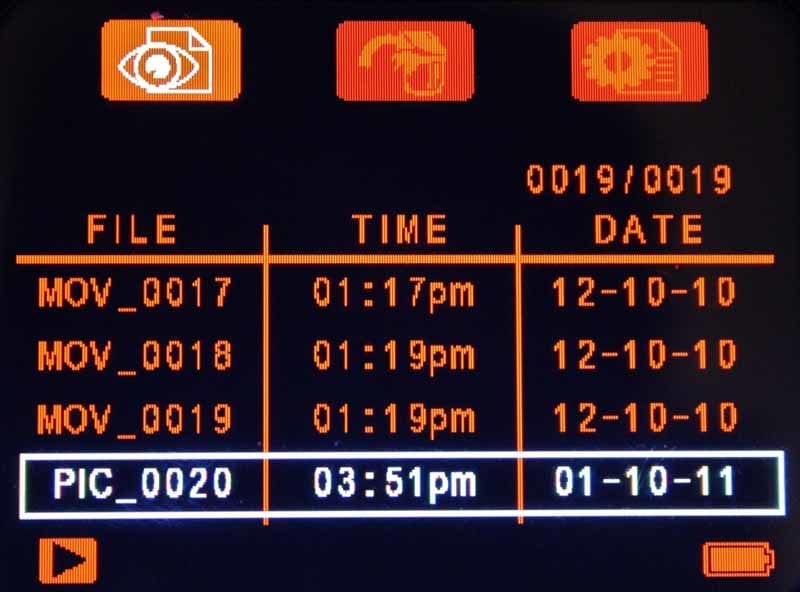
In Playback mode, you are greeted with a listing of stored video and still image files. Each file is labeled with the time and date in addition to the generic name given to it (MOV_xxxx or PIC_xxxx). Here you can view/replay files, delete files, and also access the M-Spector settings (these modes are activated by clicking the left and right navigation buttons). All files get stored to the included 2GB SD card which is protected, along with the USB connector, by a rubberized cover n the left side of the LCD screen. Capturing stills and video, or initiating playback or deletion, is always accomplished by the center button, so that makes it very easy and intuitive to accomplish anything you want to do with the M-Spector AV.
Use in the Field
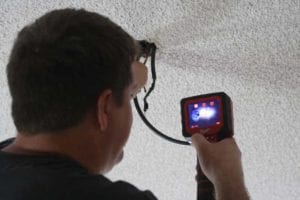
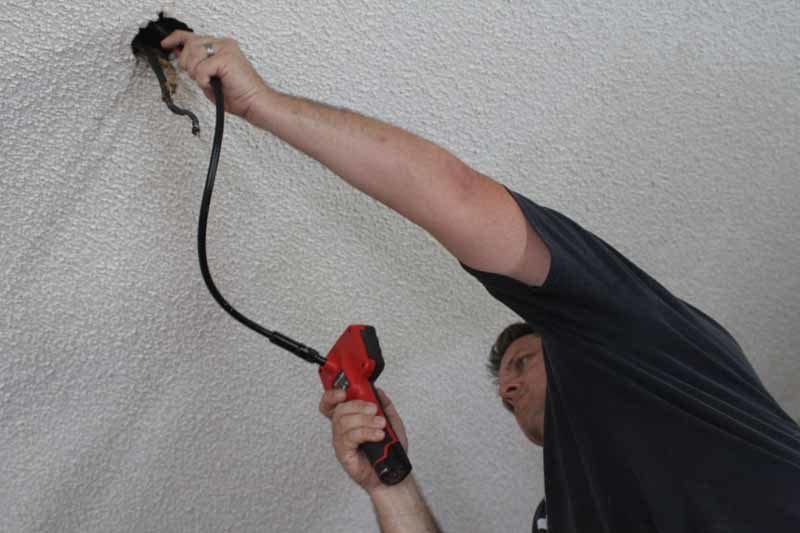
We used the M-Spector AV M12 Cordless Multimedia Camera extensively during an electrical rewiring project on an older Colonial two-story home. Where it came in incredibly handy was when figuring out how to run electrical wire on the first floor, such that we could get in between joists of the ceiling and connect to the side walls to connect ceiling fans and fixtures. As anyone who’s rewired a home knows, a two-story building makes it incredibly difficult to access the ceiling of the first floor since there is no access by attic or crawl space.
The M-Spector took a very difficult job and made it far, far easier to know where we were headed and what our potential obstacles would be. In short, it was a veritable lifesaver.
We also ran a series of inspection tests around the home, using it to inspect the drain on a washing machine and even to look underneath various appliances to see what had fallen down over the course of several years. It’s amazing what can exist underneath an electric stove that hasn’t been moved since 2006! Check out our video of the M-Spector in action below:
Conclusion
The Milwaukee M-Spector AV Inspection Camera is incredibly useful – and the “AV” in the name makes it even more so. Being able to capture video, and not just stills, means that you can show your clients more information if needed – or perhaps you can simply capture a lot of footage and review it later to determine the best course of action. This is the type of tool that will have nearly universal appeal – from electricians, to plumbers, to homeowners, to pest control services – the M-Spector AV is a tool that, once you use it, you’ll wonder how you managed without it for so long.
In terms of performance, we gave the M-Spector a well-deserved 8/10, dinged only because some other products are offering advanced features like a removable LCD screen. We also feel the system could really benefit from a higher resolution camera and display – both items that have been reduced in price dramatically through the introduction of advanced smartphones into the marketplace. With the features it has, however, it was easy to give the M-Spector AV Camera Kit a 9/10 Value rating. You can pick up this tool for under $250 – and that’s an excellent value for a product that is this useful.