

Become a Chef Without the Hassle of Learning How to Cook!
I’m pretty competent in the kitchen, but by no means could I be classified as a “really good cook.” Basically, I know how to follow directions the first time I run through a recipe, and then I generally just kind of ad-lib my way through it every subsequent time I make that dish. I get varying results. The Hestan Cue Smart Cooking System has folks like me in mind with their app-based smart cookware. Not only are all the recipes you’ll likely ever need included in painstaking detail on the app, but as the burner communicates with the cookware and the app to regulate the ideal cook time and temperature, you get consistent results.
Pros
- App-based cooking software includes hundreds of step-by-step, video-guided chef-based recipes
- The Cue uses induction coils for precise heating and temperature control
- Pro-grade tri-ply stainless steel cookware with embedded temperature sensors
- Hestan Cue does make cooking fun
- Compatible with Android and iOS platforms
Cons
- Overheat warning comes up with shocking regularity
Recommendation
The Hestan Cue Smart Cooking System is a really great idea that mostly works. Whether you’re afraid of the kitchen or a seasoned vet, the Cue takes all of the guesswork out of cooking and ensures that your dish will come out just right each and every time you cook it. An overheating SNAFU cropped up a few times over the course of the review, which keeps us from getting fully onboard. But, in principle, this a great system that will make your adventures in the kitchen quick, consistent, and delicious.
Getting Started
The Hestan Cue Smart Cooking System, in total, includes the smart induction burner, a chef’s pot, an 11″ pan, and the Hestan Cue app. You can opt for purchasing just the pan and the burner, or just the chef’s pot and the burner, or all three pieces. The app is free, though you’ll need the cookware and burner to unlock its full functionality.
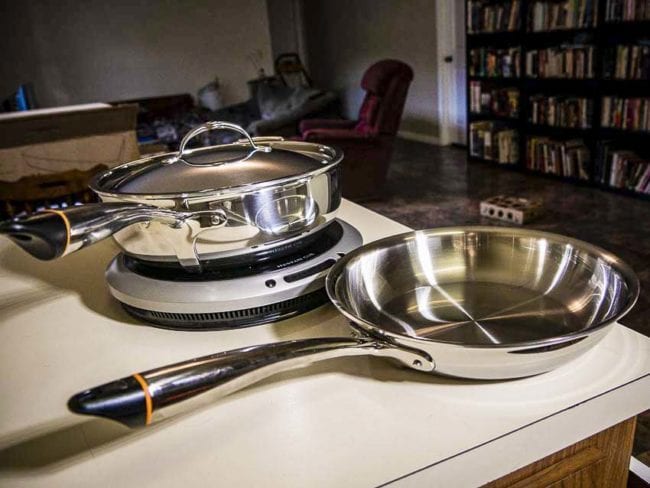
How does the Hestan Cue Smart Cooking System actually work, though? The burner, as well as the cookware itself, is Bluetooth-enabled. The cookware and burner have temperature sensors which communicate with each other. These send temperature and time information back to the app on your phone or tablet. In the cookware, these sensors are powered by a AAA battery in the handle of the pan.
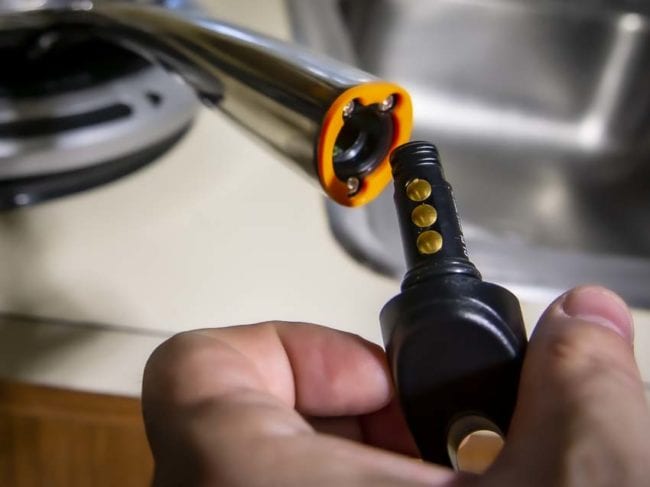
Since you’re working with smart devices, you’ll need to update the firmware the first time you log into the app. Once the software is updated and installed, the app will pair itself to the burner and cookware.
Induction Heating
I was initially excited about testing out the Hestan Cue Smart Cooking System because I’ve never actually had the chance to use induction heating. Induction heating is a fast, efficient, and precise method for heating metals and other electrically-conductive material. It uses electromagnets and magnetic fields to heat the subsurface of, in this case, a stainless steel pan.
Contrast this to conductive heating, which is what your traditional electric or gas stovetop uses. In this case, your burner heats up, which transfers heat to a pan, which then transfers heat to whatever you’re cooking. With induction heating, your burner produces an electromagnetic field, causing your ferrous metal pan to heat up from within. The heat transfer, from the pan to whatever you’re cooking, happens really quickly. This heating method is highly accurate and repeatable, meaning that you can dial in very specific temperatures.

This allows the Hestan Cue System to accurately monitor and adjust cooking temperatures in almost real-time. When coupled with Bluetooth technology, as well as an app that can just about fully automate the cooking process (you’ll still need to flip, stir, and add ingredients manually), what you have is a cooking system that all but ensures perfection…at least, in theory.
Field Testing the Hestan Cue
The Hestan Cue App
Once I got the app and cookware set up, I got to work figuring out what I wanted to cook first. And when I say that I “got to work,” I mean that there are hundreds of recipes to look through. From proteins to sauces to desserts, the Cue has some of everything available right there on the app.



You can even apply filters if you want. Say, for instance, you’re trying to stick to a paleo diet. You can filter out every recipe that has an overabundance of carbs. Or, perhaps you’d just like to look over the selection of breakfast items. You can filter out everything else. The Cue app also has recipes listed by what works with the Cue Pan and ones that work for the Cue Chef’s Pot.


Video Recipes
Each recipe has an accompanying video available, where one of the Hestan chefs walks you through the process of prep work, cooking, finishing, and presentation. If you don’t spend too much time watching the videos (I didn’t), every step of the recipe is laid out in point-by-point instructions.

Should you want to depart from any particular recipe, you can choose to enter into “control mode”. This allows you to manually set the temperature you want to cook at.
Getting Eggy With It
This, in and of itself, is pretty interesting and helpful when you’ve gotten past the window shopping stage and into actually cooking through the recipe. For instance, I started with something simple to try out the Cue system with: a couple of fried eggs. I’m pretty well-versed in egg cooking, so even without really knowing this system, I figured I couldn’t mess anything up too badly here.
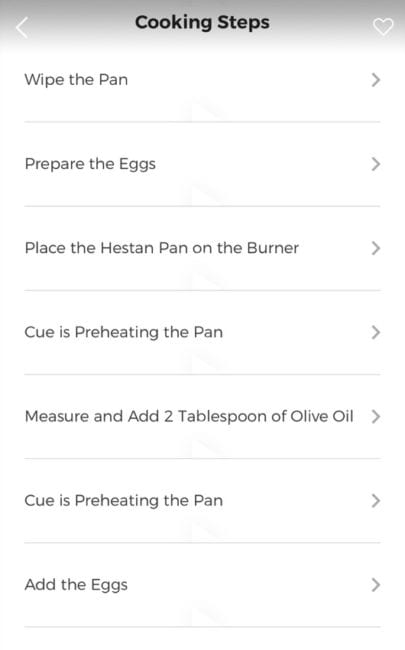
As you get down to it, the app provides a real-time checklist to work through. First, it prompted me to prep the pan by preheating it. Once I confirmed that the pan was in place (although I’m pretty sure the pan and burner “know” when they’re in place), the burner whirred to life. The app then notified me that the pan was heating up with a temperature readout. When it reached its ideal temperature (incidentally, room temp to about 400° took about 45 seconds), it told me to add the eggs, giving me a countdown until the next step of the process. From there, I added my salt and pepper, took the eggs from the pan to plate, and enjoyed some delicious over-easy eggs that still had a fair bit of crispiness on the bottom.
The Cue Gets a Little Too Worked Up at Dinner Time
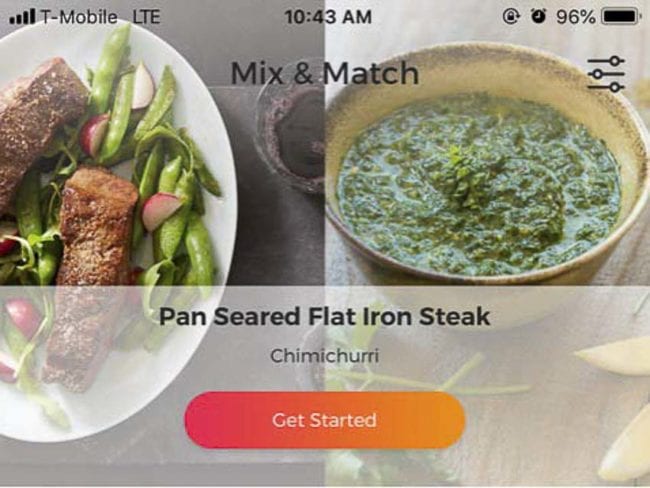
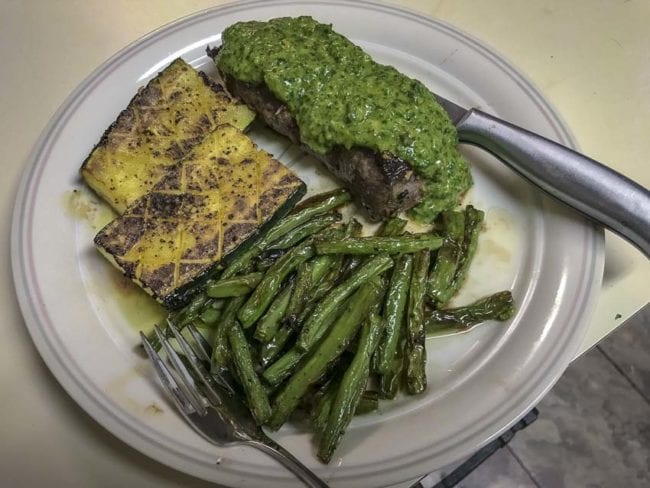
The Hestan Cue app also has a “mix and match” recipe setting, where you can pair a protein with a sauce. So, after deciding that roasted green beans and zucchini sounded like side dishes I wouldn’t mind getting into that evening, I used the Mix & Match setting to guide me to a flat iron steak with a chimichurri sauce.
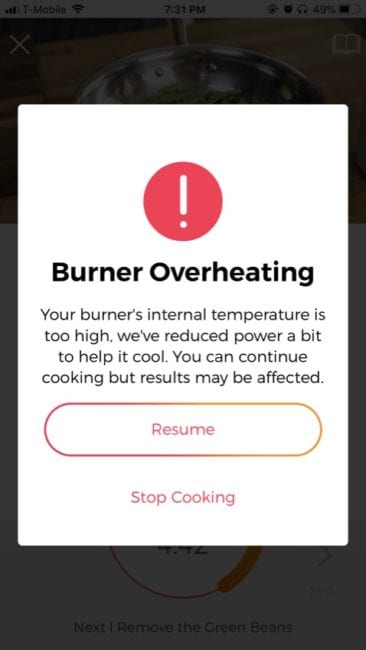
I started with the green beans and encountered my first hitch. After coming up to temp, I threw my oil in the pan, and then my beans. They started blistering up nicely, and everything was running smoothly until a notification popped up on my app saying that the burner was overheating and that the system was trying to drop the temperature. It gave me the option of continuing anyway or quitting altogether.
Hobson’s Choice
Neither one of these options seems ideal. Quitting means that my beans aren’t done, and continuing could likely burn them to a crisp. Granted, I’ve cooked beans before, so this isn’t the end of the world. I can always finish them off manually, I thought. But, this presented two other issues. For one thing, why is this even an issue in the first place? If this is a semi-automated system, why isn’t the Cue actually keeping the temperature in check? It obviously has the capability. Perhaps this is a firmware issue that needs updating? Also, I wondered if by continuing on, do I run the risk of damaging the burner?
But the other thing that I found obnoxious was when I decided to just ride it out. Clicking the “Resume” button did a whole lot of nothing; I couldn’t get the notification to go away. I eventually just clicked the “Quit” option and launched the system into the manual Control mode.
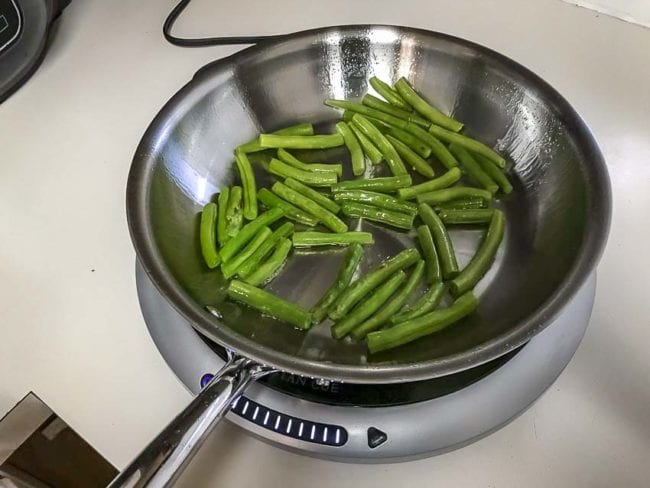
Anyway, after the green beans, I started on the zucchini. This time, the operation ran smoothly; the burner got my pan and oil up to temp, the app let me know when to flip the zucchini over, as well as when to add the thyme, garlic, and lemon. It let me know when everything had finished up, and how to garnish it if I wanted to.
Adventures with Steak
Finally, I got to the part that interested me the most: the steak. I chose a 3/4 lb flat iron, which I then divided in half. The app asked me how thick the cut was (both the pan and the chef’s pot include a helpful stainless ruler to measure thickness), as well as how I wanted it cooked. I chose the closest option available to rare and got to work.
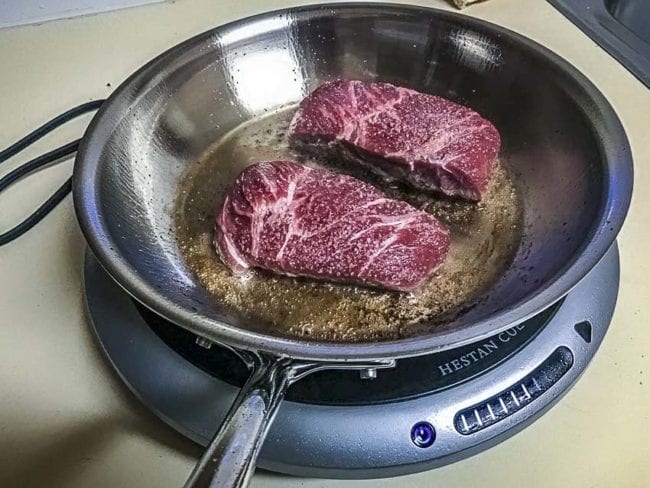
The app guided me through prep work, seasoning, making the chimichurri, and cooking. It let me know it was searing the steak (ostensibly at a higher temperature), and for how long it needed before I had to flip it. But, after I flipped it, the Overheat warning popped on again, and being frustrated and impatient, I clicked the resume button and ran the risk of overcooking it.
Note: According to Hestan, when this warning pops up, you’re supposed to unplug the burner and then plug it back in. However, it isn’t mentioned whether this will reset the whole recipe, or if you’ll pick up where you left off. In either case, this seems like an issue that needs addressing via firmware update.
Evaluating the Recipes
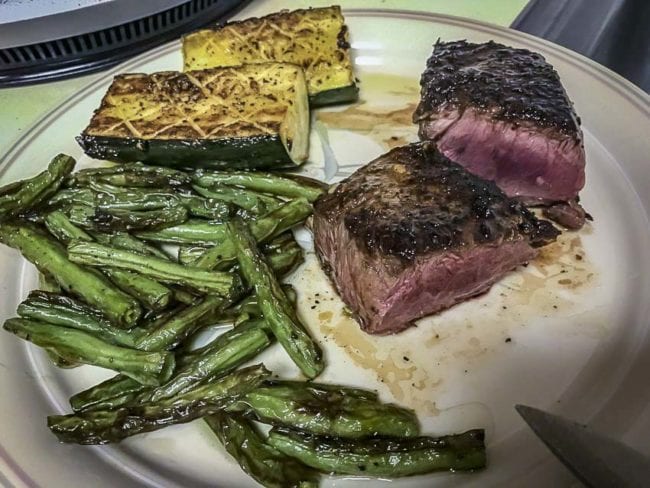
I feel like the steak did come out a little overdone, but not terribly. The very center still had the texture I was looking for, and the outside had a nice, crispy sear. I’d like to know what it would’ve looked like had the overheating issue not cropped up, but I like the system enough that I’ll definitely take it for a bunch more spins. In the end, the whole meal was delicious, and I now want to eat chimichurri sauce on everything.
Pricing
The Hestan Cue Smart Cooking System – with the app, smart induction burner, and smart 11″ fry pan – retails for $399.95. If you’d rather start with the chef’s pot, you can pick that up with the induction burner for $499.95. All of the pieces are also available as standalone purchases.
Hestan does claim that none of the individual pieces of cookware will work with any other induction system, which makes some sense. They also warn against putting any of their smart cookware into the oven. Both the frying pan and the chef’s pot are safe for the dishwasher, though you’ll have to remove the batteries first.
Hestan Cue has a 101-Day Risk Free Trial. If you’re not in love with the system within 101 days, you can return the Cue for a full refund. There are a few caveats here, however. You’ll need to have purchased the Cue from them directly, you’re responsible for shipping, you’ll need to have a copy of the receipt, etc.
Hestan Cue Smart Cooking System Specs
11″ Pan w/ Induction Burner
- Tri-ply stainless-steel construction with an aluminum alloy core
- Product Dimensions: 19.75” long, 11″ diameter, 3.75″ high
- Product Weight: 2.8 lbs.
- Includes a Bluetooth End Cap and AAA battery for inserting on to the pan’s handle to facilitate communication with the recipe app and induction burner.
- Includes cooking ruler to measure the thickness of proteins to ensure the desired level of doneness
- Hestan Cue 11″ Pan (series 2) is for use only with the Hestan Cue Countertop Induction Burner and Cue-enabled smart cooktops, and downloadable recipe app.
- Not for use on non-Cue-enabled stove/range, gas stove, oven, or with any other cooking appliance
- Dishwasher safe when the battery is removed
- MSRP: $399.95
Chef’s Pot w/ Induction Burner
- Tri-ply clad nonreactive 18/10 stainless-steel construction with a proprietary aluminum alloy core
- Series: One
- Product Dimensions: Length:22.72” (including handle) X Width 11.61” X Height 7.01” including lid
- Product Weight: 6.16 Lbs. including lid
- Includes a Bluetooth Smart Capsule and AAA battery for inserting into the pans’ handle for facilitating communication with the recipe app and the induction burner
- Includes cooking ruler to measure the thickness of proteins to ensure the desired level of doneness
- Hestan Cue Chef’s Pot (series 1) is for use only with the Hestan Cue Countertop Induction Burner and/or Hestan Smart Induction Cooktop, and downloadable recipe app. Not compatible with Cafe Smart Cooktop
- Not for use on non-Cue-enabled stove/range, gas stove, oven, or with any other cooking appliance
- MSRP: $499.95
For more information about the Hestan Cue Smart Cooking System, check out the company’s website by clicking here.